Evaluating the Todo Daily KDP Interior Template for Low-Content Publishing
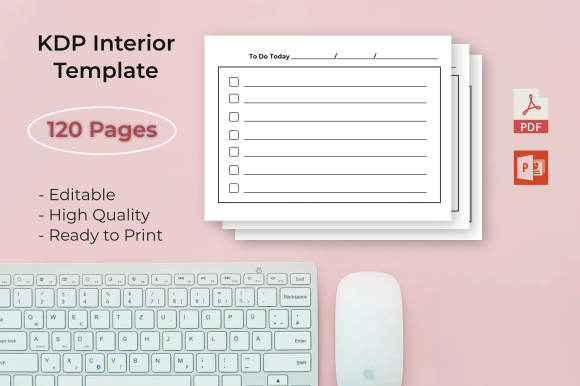
The low-content and medium-content publishing market on Amazon KDP has matured significantly, shifting from simple lined notebooks to specialized functional planners. For publishers seeking to enter the productivity niche, the Todo Daily KDP Interior Template represents a specific category of digital asset designed to streamline production. This template provides a pre-formatted interior structure focused on daily task management, available in both PDF and PowerPoint formats. Understanding the technical specifications, customization potential, and strategic fit of this 120-page resource is essential for determining whether it aligns with current publishing goals or if alternative solutions are more appropriate.
Defining the Asset and Technical Specifications
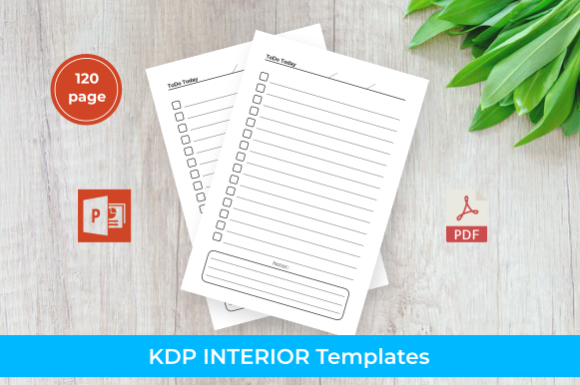
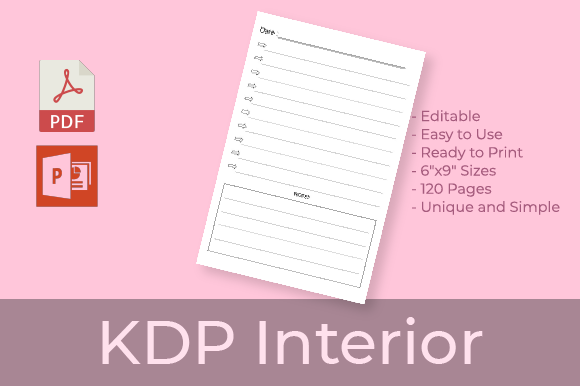
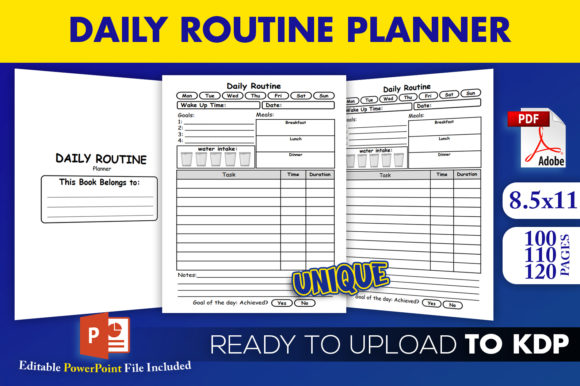
At its core, the Todo Daily KDP Interior Template is a digital file package intended for immediate use or modification within the Kindle Direct Publishing ecosystem. The primary specification is the standard 8.5″ x 11″ trim size, which remains the industry standard for daily planners and journals due to its balance of portability and writing space. The template contains exactly 120 pages, a count that typically covers three to four months of daily entries depending on the layout density. This page count is strategically chosen to keep printing costs manageable while providing sufficient value to justify a competitive retail price point.
A critical technical detail for evaluation is the "No Bleed" setting. In KDP terminology, no bleed means all content must remain within a defined safe margin, ensuring no text or graphics are trimmed during the physical binding process. This specification simplifies the upload process and reduces the risk of file rejection for new publishers. However, it also imposes design constraints; layouts cannot extend to the very edge of the paper. The inclusion of both high-quality print-ready PDF and editable PPTX source files addresses two distinct user needs: the PDF serves those ready to publish immediately, while the PPTX allows for structural changes, branding adjustments, or content updates without requiring advanced graphic design software like Adobe InDesign.
Strategic Value and Efficiency Tradeoffs
The primary value proposition of acquiring a pre-made todo list template is time efficiency. Creating a functional, aesthetically pleasing daily planner from scratch requires significant hours dedicated to grid alignment, typography selection, and margin calculation. For publishers managing multiple titles or testing new niches, this template eliminates the initial development phase. The instant download capability allows for rapid prototyping; a publisher can assess market response to a specific todo layout within days rather than weeks.
However, this efficiency comes with inherent tradeoffs regarding differentiation. Because templates are accessible to multiple users, there is a risk of market saturation with identical interiors. Publishers relying solely on the unmodified PDF version may find their books competing directly against others using the same base asset. To mitigate this, the PPTX source file becomes the most valuable component of the package. Successful utilization of this template generally requires adding unique cover designs, introductory pages, motivational quotes, or modifying the header and footer elements to create a distinct brand identity. The template should be viewed as a foundation rather than a final product.
Customization Capabilities and Limitations
Evaluating the PPTX format requires understanding its strengths and weaknesses compared to professional layout software. PowerPoint is widely accessible and familiar, lowering the barrier to entry for customization. Users can easily change fonts, adjust box sizes, add logos, or modify color schemes to match a specific cover aesthetic. This flexibility supports the creation of cohesive series, such as matching weekly and monthly planners.
Conversely, PowerPoint lacks precise typographic controls and master page functionality found in dedicated publishing tools. Global changes across 120 pages can sometimes be tedious if the original creator did not utilize slide masters effectively. Additionally, vector graphics exported from PowerPoint to PDF may occasionally suffer from resolution issues if not handled correctly, though a high-quality print-ready PDF is included as a safety net. Publishers must weigh their comfort level with PowerPoint against their need for granular design control. If extensive layout restructuring is planned, the learning curve or time investment in PPTX manipulation may approach that of designing from scratch.
Ideal Use Cases and Audience Fit
This specific Todo Daily KDP Interior Template is particularly well-suited for three categories of publishers. First, it benefits beginners who are still learning KDP formatting standards; the pre-set margins and no-bleed configuration provide a safe learning environment. Second, it serves niche researchers testing specific sub-categories, such as "ADHD daily organizers" or "teacher lesson planners," where the core todo structure is relevant but the surrounding context needs validation. Third, it aids established publishers expanding their catalog who need consistent interior structures to maintain brand uniformity across multiple releases.
The 120-page length also suggests a specific product positioning. It is ideal for quarterly planners, academic semester journals, or project-specific trackers. It is less suitable for annual planners, which typically require 300+ pages, or pocket-sized guides, which demand different dimensions. Aligning the template’s physical attributes with the intended customer use case is vital for positive reviews and long-term sales performance.
When to Consider Alternatives
Despite its utility, this template is not a universal solution. Publishers targeting premium markets with expectations of full-bleed artwork, complex tab systems, or spiral-bound compatibility may find the no-bleed, standard trim limitations restrictive. High-end stationery competitors often utilize custom die-cuts or specialized paper stocks that standard KDP templates cannot replicate.
Additionally, if a publisher’s unique selling proposition relies entirely on a proprietary productivity methodology (such as a specific variation of time-blocking or bullet journaling), a generic todo template may require so much modification that it negates the time savings. In such cases, investing in custom design or a methodology-specific template would yield better ROI. Finally, those exclusively publishing digitally or via platforms other than KDP should verify that the 8.5x11 dimension and PDF/PPTX formats align with their broader distribution strategy, as other platforms may have different preferred specifications.
Making an Informed Acquisition Decision
Selecting the right interior template is a business decision that balances cost, speed, and uniqueness. When evaluating the Todo Daily KDP Interior Template, prospective buyers should audit the preview files to ensure the daily layout matches their target audience's functional needs. Does the todo section offer enough lines? Is there space for priorities, notes, or habit tracking? A visually appealing template that fails functionally will result in poor customer retention.
Furthermore, consider the long-term licensing and usage rights. Ensure the license permits commercial use on KDP and clarify whether modified versions can be trademarked or sold on other platforms. Ultimately, this template offers a practical starting point for low-content publishing, provided the user approaches it as a customizable asset rather than a passive income shortcut. Success depends less on the template itself and more on the strategic application, niche targeting, and value-added modifications applied by the publisher.