Weekly Planner: A Versatile Tool for Organizing Life and Work
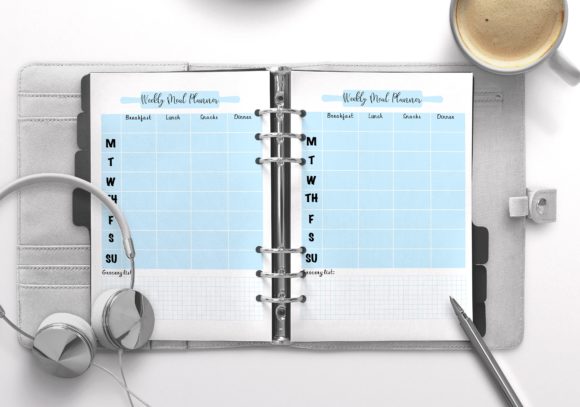
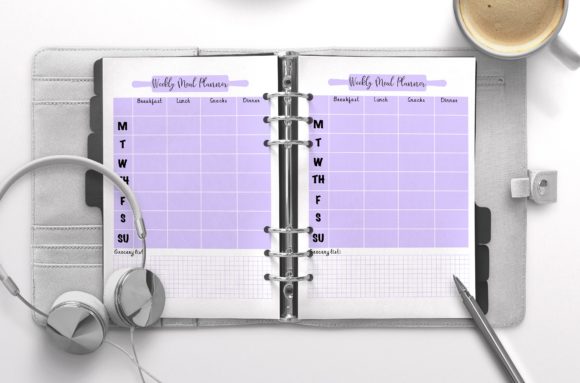
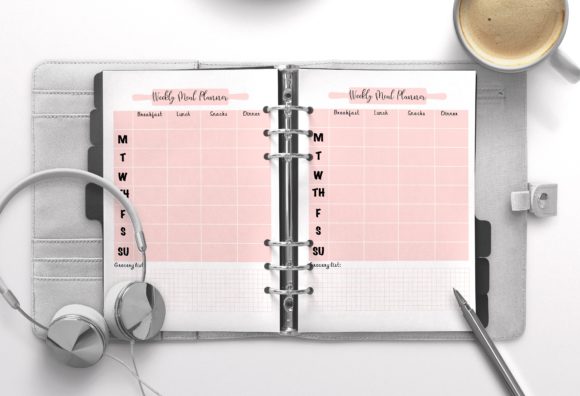
A weekly planner is more than just a grid of days and hours; it is a strategic framework for managing time, energy, and priorities. While digital calendars handle appointments well, a dedicated weekly planner template offers a tangible or printable space to visualize the bigger picture alongside daily tasks. For professionals, creatives, and busy individuals, this tool bridges the gap between abstract goals and concrete action. The specific value lies in its adaptability. Whether you are mapping out a content calendar, organizing lesson plans, or simply trying to balance household chores with freelance work, a structured layout provides the mental clarity that unstructured lists cannot.
Real-World Applications Across Different Lifestyles
The utility of a simple and minimal weekly planner extends far beyond basic scheduling. Its design intentionally avoids clutter, allowing users from various backgrounds to project their own systems onto the page without fighting against pre-filled categories that don't apply to them.
For Freelancers and Creative Entrepreneurs
Freelancers often juggle multiple clients with overlapping deadlines. A standard calendar shows when a meeting is, but not necessarily how much deep work is required beforehand. Using an editable PDF or PSD template allows a graphic designer or copywriter to block out creative sprints visually. Because the template uses vector shapes, a user can color-code specific clients or project types directly in Photoshop. This visual distinction helps prevent burnout by making workload imbalances immediately apparent before the week even begins. Instead of reacting to emails, the planner facilitates proactive time blocking.
Educators and Academic Planning
Teachers and professors operate on cyclical schedules that differ significantly from the corporate 9-to-5. A minimal weekly planner serves as an excellent lesson mapping tool. Educators can use the editable fields to outline learning objectives, assessment dates, and preparation time. The A4 format is particularly useful here, as it matches standard printing paper used in schools and universities. By customizing the layout, a teacher can create a consistent planning system that spans an entire semester, printing fresh copies as needed without being locked into a dated physical notebook that becomes obsolete after a few months.
Small Business Operations and Content Creation
Marketers and social media managers live and die by consistency. A weekly planner template acts as a high-level editorial calendar. Rather than getting lost in the minute-by-minute scheduling tools, creators can use this resource to plan themes, campaign launches, and content pillars. The ability to edit fields in Acrobat Reader means teams can share a standardized planning document where only specific data points change, maintaining brand consistency across workflows. For small business owners wearing multiple hats, separating "CEO tasks" from "fulfillment tasks" within the same weekly view ensures that strategic growth isn't sacrificed for daily maintenance.
Personal Productivity and Household Management
Beyond professional use, these planners excel in domestic settings. Parents managing extracurricular activities, meal prep, and home renovations benefit from a centralized visual command center. A minimal design prevents the planner from feeling like another chore. Users can print a non-editable JPG version to stick on the refrigerator for family visibility while keeping the editable master file on their computer for detailed logistics. This dual approach supports both communication and execution, reducing the mental load of remembering who needs to be where and when.
Leveraging Technical Features for Practical Outcomes
Understanding the technical specifications of a weekly planner template is crucial for maximizing its lifespan and usability. These aren't just aesthetic details; they directly impact how the tool functions in real scenarios.
The Advantage of Vector Shapes and Color Customization
Many templates rely on rasterized images, which become pixelated when resized or recolored. A template built entirely with vector shapes and icons in Photoshop ensures crisp lines at any scale. More importantly, it grants total creative control. If your personal brand uses teal and coral, or if your office requires specific compliance color-coding, you can adjust the global colors in seconds. This eliminates the need to search for a new template every time your preferences or branding guidelines shift. It transforms a generic product into a bespoke organizational system.
Print-Ready Specifications: CMYK, Bleed, and Resolution
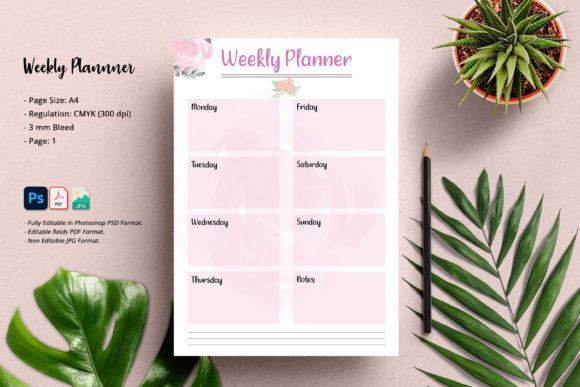
For users intending to print their planners professionally or at home, technical accuracy matters. A file set up in CMYK color mode at 300 DPI guarantees that what you see on screen translates accurately to paper. The inclusion of a 3mm bleed is essential for commercial printing or home printers with borderless capabilities, ensuring no white edges appear after trimming. Ignoring these specs often leads to wasted ink and paper. When a template comes pre-configured with these standards, it removes the guesswork from production, allowing educators, publishers, or hobbyists to produce professional-grade stationery without needing advanced prepress knowledge.
Software Compatibility and Accessibility
Accessibility determines whether a tool actually gets used. Requiring only Photoshop CS2 or higher for editing the source file lowers the barrier to entry significantly. Many freelancers and students may not have the latest Creative Cloud subscription but still possess older, perpetual licenses. Similarly, providing an editable PDF for Acrobat Reader ensures that those without Photoshop can still input text, check boxes, and save their progress digitally. This tiered compatibility makes the weekly planner viable for tech-savvy designers and casual users alike, ensuring the investment pays off regardless of software access.
Considerations Before Adopting a New Planning System
Before downloading or purchasing a weekly planner template, it is important to assess your actual workflow rather than your aspirational one. A minimal template is powerful because it is flexible, but that flexibility requires you to define your own structure.
- Assess Your Printing Needs: Will you print this weekly, monthly, or never? If you plan to print frequently, ensure your home printer handles A4 borderless printing well, or budget for professional printing services that accept CMYK files with bleed.
- Evaluate Your Editing Frequency: If you prefer handwriting, the non-editable JPG or printed PDF is sufficient. If you type your plans, verify that the editable fields in the PDF align with your typing habits and font preferences.
- Check Software Proficiency: While CS2 compatibility is broad, working with layers and vector shapes requires basic Photoshop knowledge. If you are uncomfortable with layer masks or smart objects, stick to the PDF version to avoid frustration.
- Define Your Time Horizon: Some users need hourly breakdowns; others need open space for task lists. Ensure the template’s underlying grid matches your granularity needs before committing to customization.
Ultimately, a weekly planner is a vessel for intention. Whether utilized by a marketer launching a campaign, a student navigating finals, or a parent coordinating a busy household, its effectiveness depends on alignment with real-life rhythms. By choosing a technically sound, customizable, and accessible template, users secure a sustainable foundation for productivity that adapts as their lives and businesses evolve. The goal is not to fill every box, but to create a reliable system that reduces friction and creates space for what truly matters.